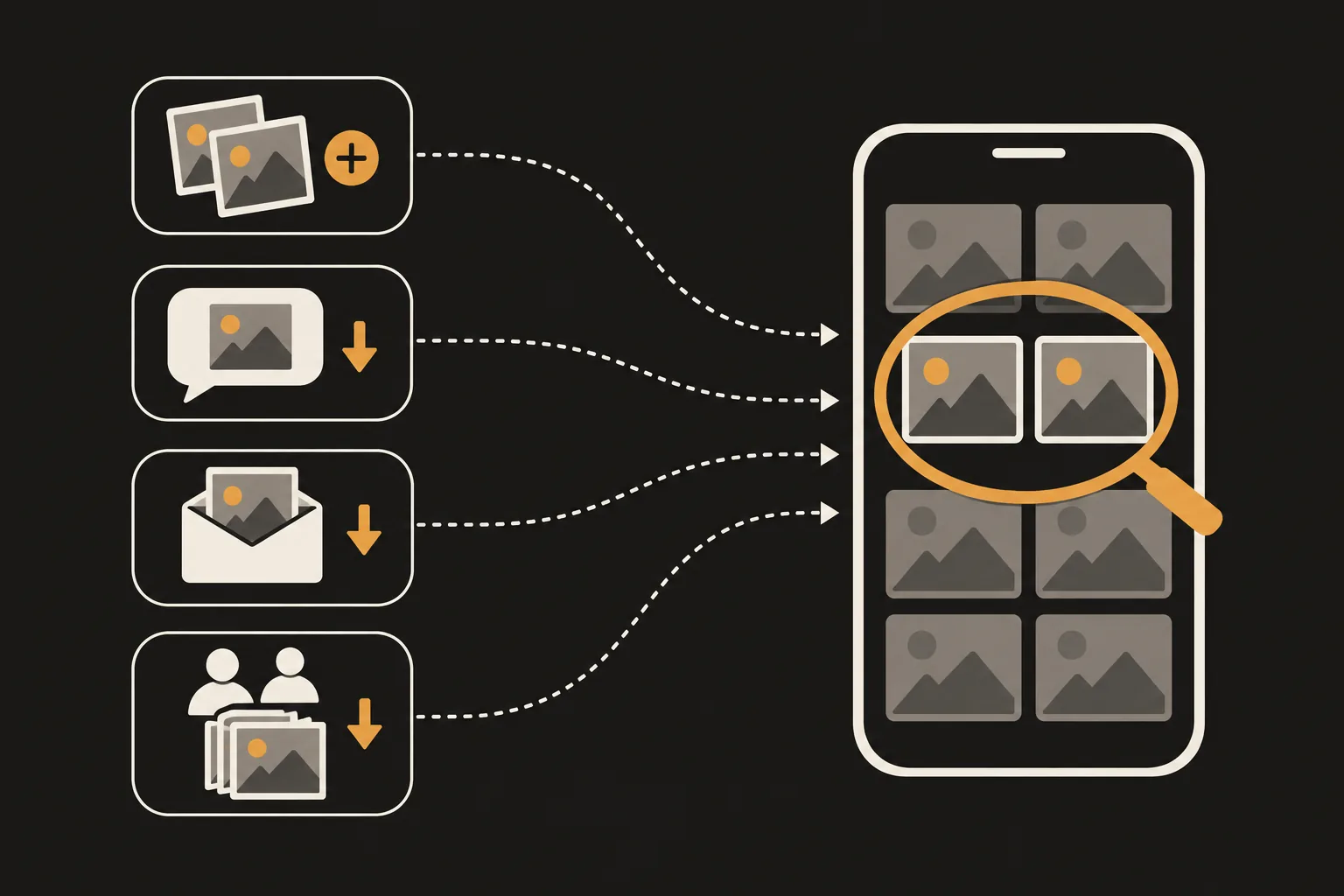
If the same photo shows up twice in your library, check three things first. Did you tap Duplicate in the Photos app, save a photo you received in Messages, Mail or AirDrop, or save a photo from a shared album to your library? Apple describes Duplicate as a feature that makes a copy, and the other two bring a received photo into your library as its own item. Burst shots are a different case: they're a set of similar photos, not copies, so you clean them up differently. Copies you already have can be merged in the Duplicates collection in Photos.
Updated 21 October 2026. Menu names and behavior checked against Apple Support for iOS 27.
Photos can make a second copy on purpose. Open a photo or video, tap the More button, then tap Duplicate, and a copy appears next to the original. Apple describes the feature as a way to duplicate a photo while preserving the original version.
Saving a photo you received adds it to your library.
If a photo was already in your library and you saved it again this way, that may be why you see it twice. For example, a photo you took came back to you in a group chat, or you saved the same photo from more than one conversation.
In an iCloud Shared Album, tap a photo, tap the Share button, then tap Save Image (Save Video for videos) to save it to your library. Apple says photos you save this way stay in your library even if the shared album is deleted or the person who created it stops sharing it. Apple also notes that in iOS 26 or earlier, Shared Albums upload a copy of your data, and downloaded content may not contain the same information as the original.
If you saved a photo from a shared album that you had posted yourself, or one you already got another way, that may be why you see it twice.
Burst mode takes a run of high-speed photos so you have a range to choose from, which helps with moving subjects. Swipe the Shutter button to the left to start. If Use Volume Up for Burst is turned on in Settings > Camera, pressing and holding the volume up button takes a burst too. The frames look almost the same, so they can pass for duplicates, but each one is a different photo, not a copy.
Apple describes iCloud Photos as keeping one library up to date across your devices. Changes you make on one device show up on the others, and deleting a photo on one device deletes it everywhere you use iCloud Photos. Optimize iPhone Storage keeps a space-saving version of each photo on your iPhone and the full-resolution original in iCloud. Apple's documentation doesn't describe either feature as adding copies to your library. If you're seeing duplicates, check the ways above first.
Duplicate photos and videos that Photos finds are collected in Duplicates. Where it lives depends on your iOS version:
Tap Merge on a set to keep one photo. The other copies move to Recently Deleted, where you can recover them for 30 days. For merging many sets at once, see How to find and delete duplicate photos on iPhone. If the collection is missing, see Duplicates album not showing on iPhone? Here's why.
No. Apple says that after you move a photo to the shared library with Move to Shared Library, it's no longer in your personal library. To see both libraries together, choose Both Libraries in Library.
Not anymore. My Photo Stream shut down on July 26, 2023. If you're seeing new duplicates, check whether photos were saved again or duplicated.
They aren't copies of the same photo. Apple describes Burst mode as taking several photos quickly so you can choose from them. Tap the Burst thumbnail, tap Burst (number), select the frames you want to keep, then tap Done.
Your iPhone combines the highest image quality and relevant data to keep one photo in your library. The other copies move to Recently Deleted, where you can recover them for 30 days.
Either Photos hasn't found any duplicates or it's still indexing your library. Apple says detection requires your iPhone to be locked and connected to power, and can take up to a few days. While it's indexing, a status message appears at the bottom of Library.
Similar shots that the Duplicates collection doesn't catch are yours to compare and choose from. PhotoSlimmer is a photo cleaner we (newmean.ai) make. On its home screen, Similar Photos groups burst sets and photos taken around the same time that look similar, labeling each group Burst or Similar, and the app also finds blurry and closed-eye photos. It isn't built to find copies, so identical copies may not be grouped. Merge copies in the Duplicates collection in Photos first, then use PhotoSlimmer for the similar and blurry shots that are left. Analysis runs on your phone with an AI model built into the app, so nothing is uploaded, and the app never pre-selects or deletes anything on its own. You can delete up to 50 photos a day for free, and unlimited deleting is a one-time purchase. There is no subscription. It needs an iPhone with iOS 18.0 or later.